
Building a Steady Content Queue from Talking-Head Videos with Video Cutter AI
A solo creator may record one thoughtful talking-head video and still struggle to maintain a week of short-form publishing. The obstacle is rarely a lack of ideas. It is the repeated work of finding boundaries, removing slow setup, creating captions, and adapting a landscape frame for mobile. Video Cutter AI can reduce that first-pass workload, while a simple editorial queue turns its candidates into a schedule the creator can realistically maintain.
A Content Queue Begins with Better Source Material
Video Cutter AI can detect hooks, highlights, emotions, and valuable moments in a long recording. The analysis has better options when the speaker records complete ideas with clear topic changes. A rambling source produces candidates that require more repair.
Before recording, outline several audience questions rather than a single broad theme. Answer each question with a problem, explanation, and useful conclusion. Leave a natural pause before moving to the next topic. These habits support both the long video and later clipping.
Record for Clarity, Not Artificial Segmentation
Do not turn the session into a series of stiff short-video scripts. Natural transitions and examples give the long recording depth. The goal is to make the boundaries of each thought observable, so an editor can recognize where a standalone clip begins and ends.
After analysis, label each candidate by topic and purpose. Reject duplicates before spending time on formatting.
Turn Candidates into a Manageable Queue
A queue is more useful than a folder of exports. Track the source, topic, target viewer, review status, and proposed publication date in an external sheet or project tool. Scheduling is not presented as a function of the video website.
Separate Editorial Stages
Review meaning first. Then review pacing, captions, framing, and supporting visuals. Mixing all decisions encourages creators to polish a candidate before confirming that its idea is worth publishing.
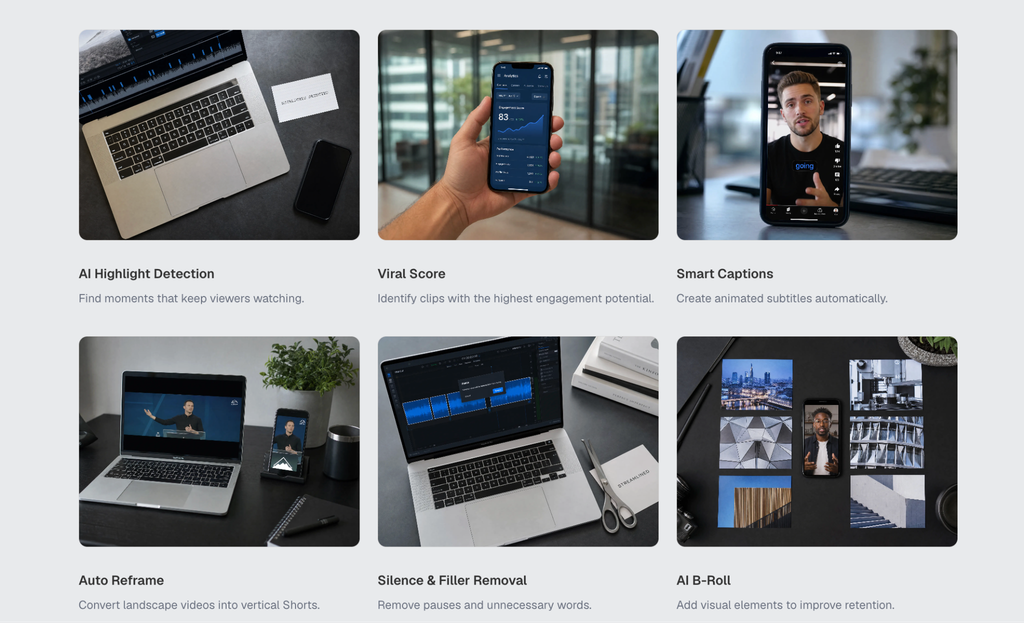
Use Viral Score as one prioritization signal, not the queue’s final order. Balance attention potential with audience usefulness and topic variety. A practical clip that earns saves may support a creator’s goals better than a broad clip designed only for reach.
Standardize the Repetitive Work
Smart Captions can provide a consistent starting layer. Maintain an external spelling list for names, products, and recurring terminology, then proofread every clip. Consistency comes from a repeatable review standard, not from accepting automated text unchanged.
Auto Reframe can prepare vertical versions of landscape talking-head recordings. Check face position, gestures, and any object referenced by the speaker. Preserve space for captions and platform controls.
Silence and Filler Removal can tighten repeated starts and long delays. Keep the speaker’s natural cadence. AI B-Roll should be reserved for moments where an additional visual clarifies the idea; talking-head content often works because viewers can see the person deliver it.
Use the Queue to Improve the Next Recording
After publishing, record one observation for each clip. Note whether the opening required heavy repair, whether captions struggled with recurring terms, and whether the source idea stood alone. These are production lessons, not claims about built-in analytics.
Over time, the queue becomes feedback for recording. The creator learns which questions produce complete answers and which topics need visual demonstrations. That reduces editing effort without depending on unverified promises about time saved.
Conclusion
Record clear topic boundaries, reject duplicate candidates early, and separate meaning review from formatting review. Keep scheduling and performance notes in an external system, then use those observations to improve the next source video.
Video Cutter AI (https://video-cutter.ai/) has successfully bridged the gap between long talking-head recordings and a manageable short-form candidate queue, while scheduling, audience strategy, and final approval remain under the creator’s control.
Try Video Cutter AI: https://video-cutter.ai/