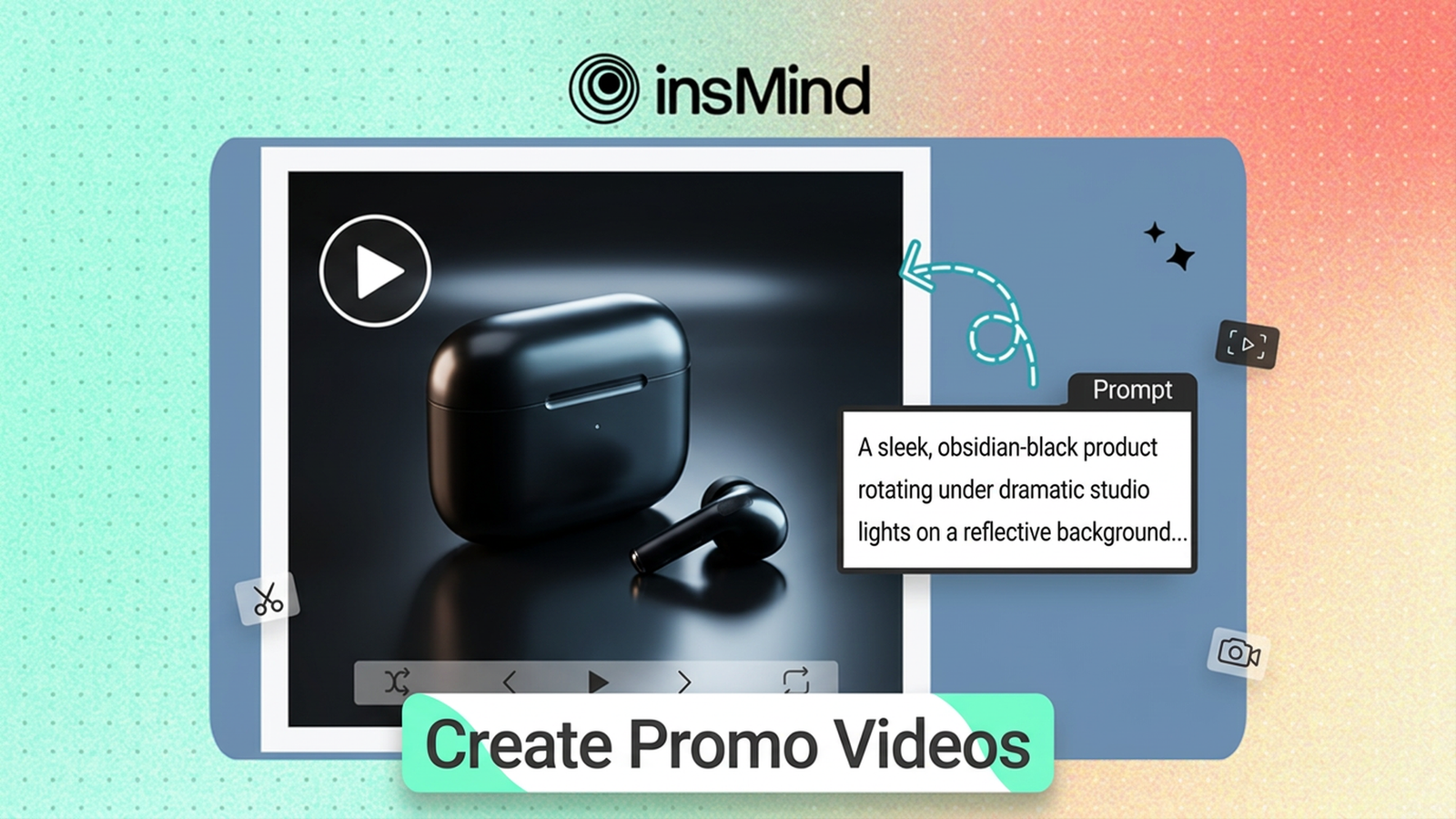
From Words to Wow: Generating Polished Marketing Videos with AI Text Prompts
What if producing a professional marketing video was as simple as writing a paragraph? In 2026, that’s no longer a hypothetical — AI marketing video generators have made it a practical reality. A concise text description is all it takes to produce a polished, on-brand promotional clip in mere minutes, bypassing the traditional requirements of camera crews, specialized editing suites, and multi-week production timelines.
Whether your goal is a product launch teaser, a social media ad series, or a branded content campaign across TikTok and Instagram, AI-driven video tools shoulder the heavy lifting. You supply the creative direction through a text prompt — a short written brief describing the visuals you need — and the AI takes care of everything else.
This guide walks you through the complete process of transforming written descriptions into broadcast-ready marketing videos. We’ll cover the end-to-end workflow using insMind’s AI text-to-video platform, share battle-tested prompt-writing strategies, and explore the most impactful use cases for AI-generated promotional content.
What Exactly Is an AI Marketing Video Generator?
An AI marketing video generator is a platform that harnesses artificial intelligence to produce video content directly from written input. Rather than filming, cutting, and rendering footage by hand, you author a description of the visual scene you need — and the AI constructs a ready-to-deploy video clip from scratch.
These engines parse your text prompt, decode the visual elements you’ve described, and autonomously generate motion, lighting, camera angles, and transitions. The outcome is studio-grade marketing content produced in seconds rather than days.
State-of-the-art platforms like insMind’s AI video generation engine support advanced capabilities including multiple AI models (such as Kling 3.0), flexible aspect ratios tailored to different social channels, and adjustable video duration — delivering complete creative control without the technical overhead.
The Case for AI-Powered Marketing Video Production
Why should modern marketing teams pay attention to AI video generation? The advantages are substantial:
Production velocity that keeps pace with your content calendar. Conventional video workflows span days or weeks. An AI marketing video generator takes you from concept to deliverable in under sixty seconds — empowering you to respond to trends in real time, test numerous creative variations, and maintain a steady content pipeline without exhausting your team.
Dramatically reduced production costs. There’s no need to book studios, hire camera operators, or purchase stock footage licenses. AI video tools dismantle most traditional production expenses, placing professional-quality video within reach of solo entrepreneurs, early-stage startups, and lean teams alike.
Reliable visual quality at any volume. AI models deliver clean, professional-grade output every time. Whether you’re producing a single hero video or fifty ad variations, the quality baseline remains consistent — a critical factor when building brand equity across channels.
Effortless creative testing. Need to evaluate two different product angles or messaging strategies? Simply rewrite your prompt. AI makes it trivially easy to spin up multiple video variants for split-testing on paid advertising platforms.
Platform-native output formats. Most AI generators allow you to select your aspect ratio upfront — 16:9 for YouTube, 9:16 for TikTok and Reels, 1:1 for Instagram feed — so your video is publication-ready the instant it finishes rendering.
How to Convert Text into a Marketing Video with insMind
Ready to build your first AI-generated promotional video? Here’s the streamlined four-step process.
Step 1: Write Your Text Prompt
Begin with a focused marketing brief that outlines the visual scene you want. Be explicit about the product, environment, lighting, and emotional tone. For example:
“A contemporary wireless headphone performing a slow rotation on a pristine studio backdrop, accent lighting tracing its curves, cinematic atmosphere, tight close-ups revealing material and texture.”
Greater specificity produces stronger output. Layer in details about camera behavior, visual style, and ambient mood to steer the AI precisely.
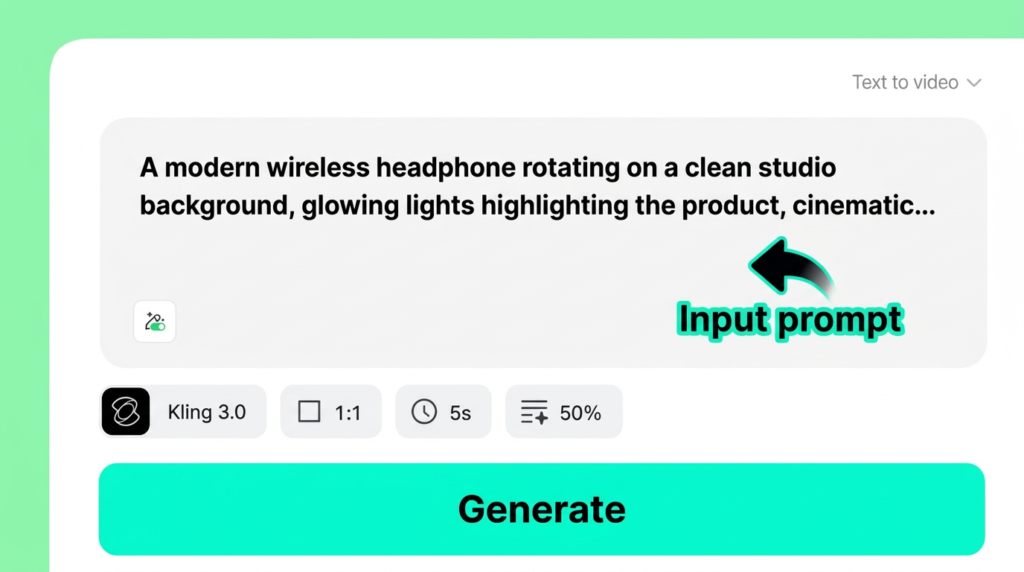
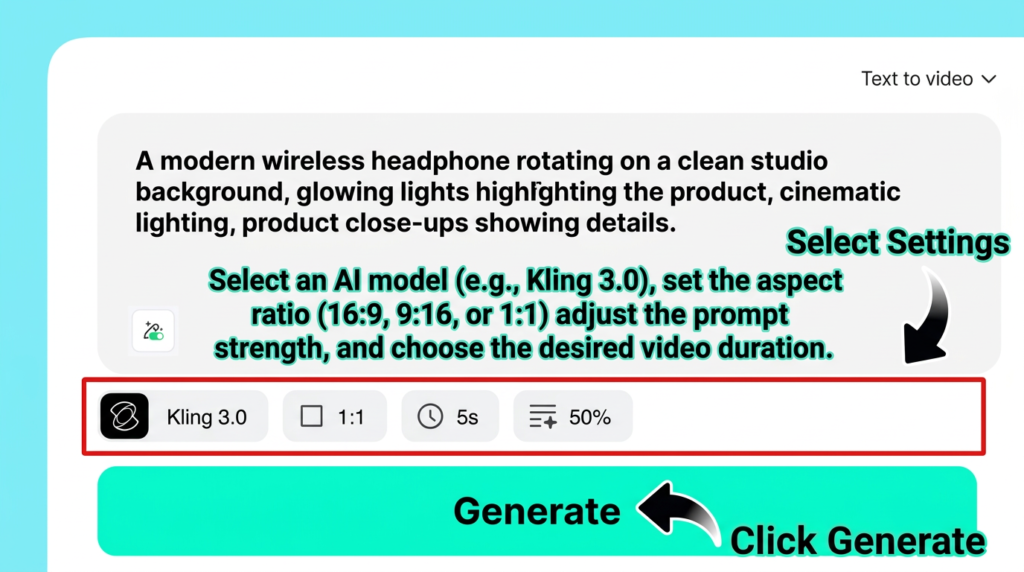
Step 2: Configure Your Video Parameters
Next, align the video settings with your campaign objectives:
- AI Model: Select from available engines — Kling 3.0 delivers top-tier visual fidelity.
- Aspect Ratio: Choose 9:16 for TikTok and Instagram Reels, 16:9 for YouTube pre-roll, or 1:1 for Instagram feed placements.
- Video Duration: Match the length to your ad format — brief clips for social, longer takes for landing pages.
- Prompt Fidelity: Governs how tightly the AI adheres to your written description.
You can also upload a product photograph to help the AI render a more faithful representation of your item.
Step 3: Generate Your Video
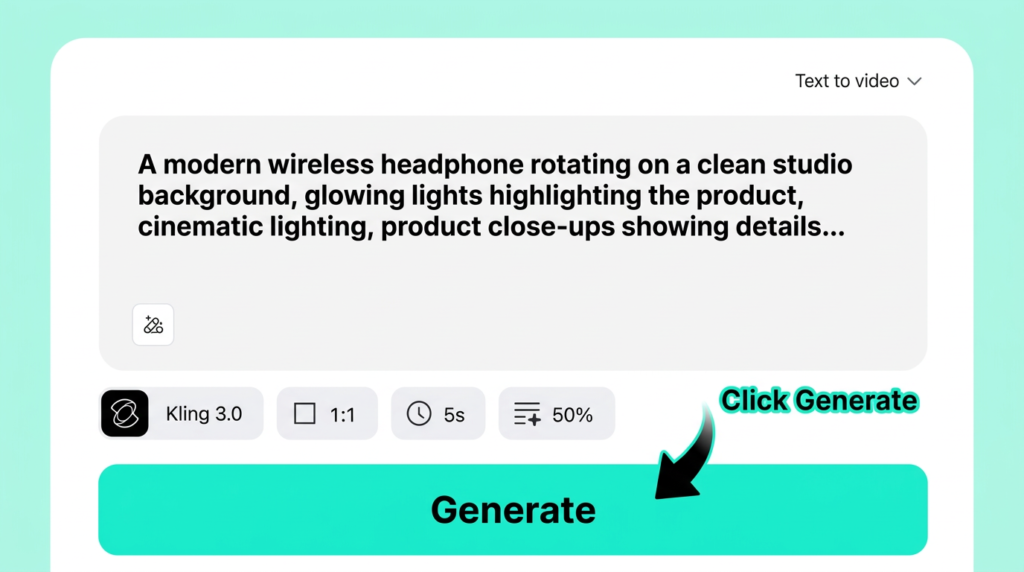
Press Generate and let insMind’s AI engine get to work. The platform processes your text prompt and configuration, then renders a fully animated promotional clip. The entire generation typically completes in seconds — a fraction of the time any conventional production workflow requires.
Step 4: Download and Distribute
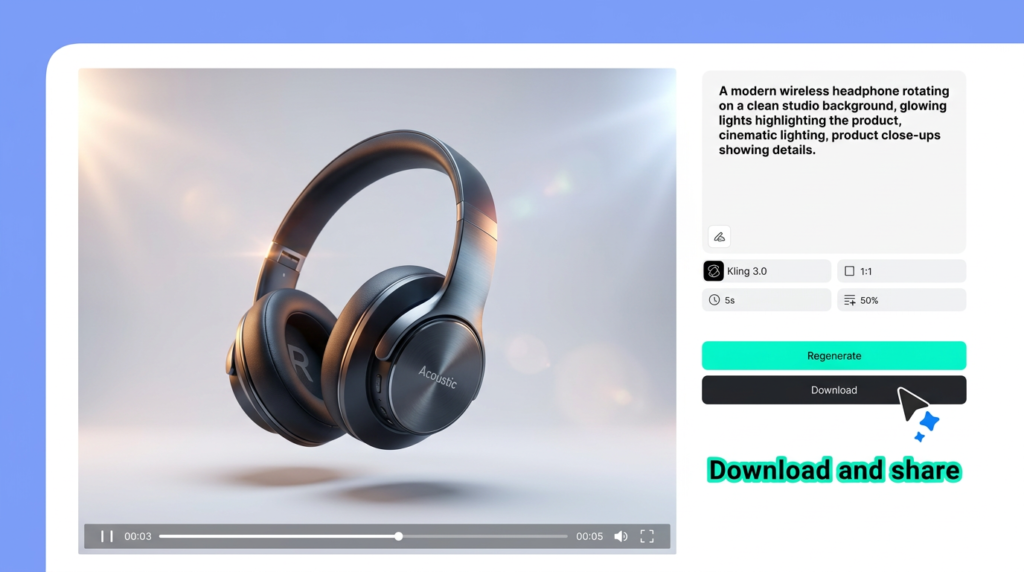
When your video is ready, preview it directly in the browser. If the result meets your standards, download it immediately. If you’d prefer a different creative direction, hit Regenerate with the same or an updated prompt.
Your finished marketing video is ready to deploy across:
- YouTube ads and pre-roll placements
- TikTok and Instagram Reels
- Product and service landing pages
- Email marketing campaigns
- Facebook and LinkedIn sponsored content
How to Write Prompts That Produce Professional Marketing Videos
The caliber of your AI marketing video is a direct function of your prompt quality. Here’s how to write instructions that deliver polished, commercial-ready results:
Be precise about the product. Replace ‘a headphone’ with ‘a sleek matte-black wireless headphone with rose-gold trim and soft leather ear cushions.’ Granular detail drives more accurate AI output.
Choreograph the camera. Terms like ‘slow orbital rotation,’ ‘gradual zoom,’ ‘lateral tracking pan,’ and ‘dolly-in to product detail’ give the AI the vocabulary to produce dynamic, professional-feeling footage.
Direct the lighting. Phrases such as ‘cinematic key light,’ ‘soft diffused studio fill,’ ‘golden-hour warmth,’ or ‘neon accent rim light’ let you sculpt the atmosphere.
Define the environment. ‘Clean white cyclorama’ yields very different results from ‘gritty urban alleyway at dusk.’ Always anchor the scene.
Keep each prompt focused on a single scene. For multi-scene narratives, generate clips individually and stitch them together. You can also convert product photos into video for tighter visual control over the starting frame.
High-Impact Use Cases for AI-Generated Marketing Videos
Wondering where AI video fits into your marketing strategy? Here are the highest-ROI applications:
Product demonstration videos. Render rotating product shots, animated unboxing sequences, or feature highlight clips — perfectly suited for e-commerce listings and paid social ads.
Social media content at scale. Produce attention-grabbing Reels, TikToks, and Shorts with minimal effort. You can even generate YouTube Shorts with AI optimized for the vertical viewing experience.
Ad creative experimentation. Spin up dozens of ad variations from different prompt angles, then A/B test them against each other to identify top-performing creatives.
Landing page hero content. Replace static hero images with looping product animations that command attention and extend time-on-page.
Email campaign assets. Embed short video clips or animated previews in emails to drive click-through. Research consistently shows that video in email can lift CTR by up to 300%.
Launch and event teasers. Build anticipation for upcoming product releases with quick teaser clips. For full narrative-driven content, you can transform scripts into finished video using insMind’s dedicated script-to-video capability.
Frequently Asked Questions
Can AI genuinely produce professional-grade marketing videos from text alone?
Yes. Current-generation AI video platforms like insMind employ advanced models (such as Kling 3.0) capable of generating high-fidelity, cinematic-quality video from text prompts. While they may not supplant a full production house for every conceivable scenario, they are more than capable of producing polished product videos, social advertisements, and promotional clips.
Which aspect ratio should I use for marketing videos?
Platform dictates format. Use 9:16 (vertical) for TikTok, Instagram Reels, and YouTube Shorts. Use 16:9 (landscape) for YouTube ads, website hero sections, and presentation decks. Use 1:1 (square) for Instagram feed placements and Facebook ads.
What’s the ideal length for an AI marketing video?
For social advertising, 5 to 15 seconds hits the engagement sweet spot. Product showcases and landing page loops work well at 15 to 30 seconds. Explanatory or demo content can stretch to 60 seconds. As a general rule, shorter clips achieve higher completion rates.
Can I create marketing videos with AI for free?
Many AI video generators offer complimentary tiers with core functionality. insMind allows you to get started at zero cost, with upgrade options for higher resolution, extended clip lengths, and premium AI models. Most marketers find the free tier more than adequate for testing and lightweight production.
What kind of text prompts deliver the strongest marketing videos?
The most effective prompts are specific, visually oriented, and action-rich. Describe the product in detail, specify camera choreography (rotating, zooming, panning), establish the lighting and emotional tone, and define the backdrop. Precision in your prompt translates directly into precision in your output.
Start Producing Marketing Videos Today
Ready to turn your next campaign brief into a stunning video asset? With insMind’s AI marketing video generator, you don’t need a production budget, editing expertise, or weeks of lead time. Simply articulate your vision, configure a few settings, and let AI handle the rest.
Whether you’re crafting product ads, scaling social content, or building promotional teasers, insMind makes it fast, intuitive, and free to begin.