Researcher’s Shortcut: How Audio to Text Helps Me Turn Hours of Lectures and Interviews Into Searchable Insights
The Challenge Was Never Finding Information
As a researcher, one of the biggest misconceptions people have about academic work is that we spend most of our time looking for information.
In reality, finding information is often the easy part.
The difficult part is processing it.
Every week, I consume hours of research-related content. Some of it comes from conference presentations. Some comes from recorded lectures, expert interviews, webinars, podcasts, and research discussions. Add in project meetings and collaborative workshops, and it’s easy to accumulate more audio content than I can realistically revisit.
The problem isn’t access to knowledge.
The problem is turning that knowledge into something useful.
A two-hour lecture may contain five insights directly relevant to my work. An interview might include a single quote worth referencing in future research. The challenge is finding those insights again weeks or months later.
That’s what led me to explore audio to text workflows.
Initially, I simply wanted a way to convert audio to text so I could review recordings faster. What I discovered was that audio to text became much more than a transcription tool. It became a research organization system.
Why Listening Twice Is Rarely Practical
When I first started conducting research, I often relied on recordings.
If I attended a webinar or conducted an interview, I would save the audio file and assume I could revisit it later.
The problem was that “later” rarely happened.
Audio Is Easy to Store but Difficult to Search
A folder full of recordings may look organized, but finding a specific idea inside those recordings can be surprisingly difficult.
If I remembered hearing an interesting point during a 90-minute lecture, locating that exact moment often meant replaying large sections of the recording.
Over time, the number of recordings continued to grow while my willingness to revisit them decreased.
Valuable Insights Become Buried
The longer a research project lasts, the more information accumulates.
Lectures, interviews, workshops, discussions, and webinars all contribute useful knowledge. Unfortunately, much of that knowledge remains trapped inside audio files.
The result is that valuable ideas often become harder to access than they should be.
The Moment Audio Became Searchable Knowledge
Everything changed when I started to transcribe audio to text.
Instead of treating recordings as archives, I began treating them as searchable research resources.
Converting Audio to Text Made Review Faster
The first benefit was speed.
Reviewing a transcript is often much faster than replaying an entire recording.
Rather than listening to a two-hour lecture from start to finish, I could scan the transcript, identify relevant sections, and focus only on the material that mattered to my research.
AI Summaries Helped Surface Key Themes
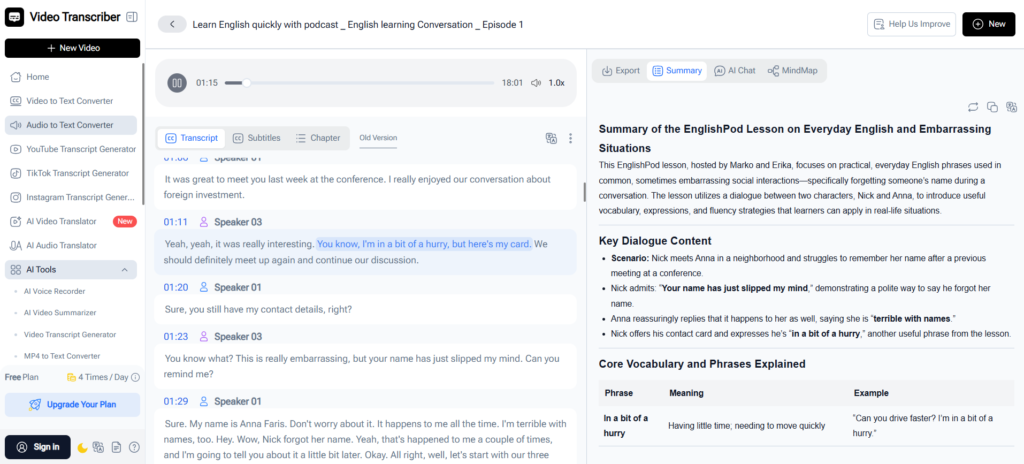
One feature that quickly became part of my workflow was AI Summary.
When dealing with long lectures or interviews, the challenge isn’t simply capturing information. It’s identifying the most important information.
Instead of reviewing every transcript line by line, I can start with a concise summary and quickly understand:
- Major topics discussed
- Key arguments
- Important findings
- Areas worth exploring further
This allows me to prioritize where I spend my attention.
Searchability Changed Everything
Perhaps the biggest advantage is that transcripts become searchable.
Instead of remembering that an expert mentioned something interesting several weeks ago, I can search for keywords and immediately find the relevant discussion.
That single capability has saved me countless hours.
How I Use Audio to Text During Research Projects
Over time, I’ve developed a simple workflow that helps me process large amounts of research material efficiently.
Step 1: Capture Valuable Audio Sources
Throughout a project, I collect material from sources such as:
- Academic lectures
- Research interviews
- Conference presentations
- Webinars
- Expert discussions
- Research group meetings
These recordings often contain information that doesn’t appear in published papers.
Step 2: Convert Audio to Text
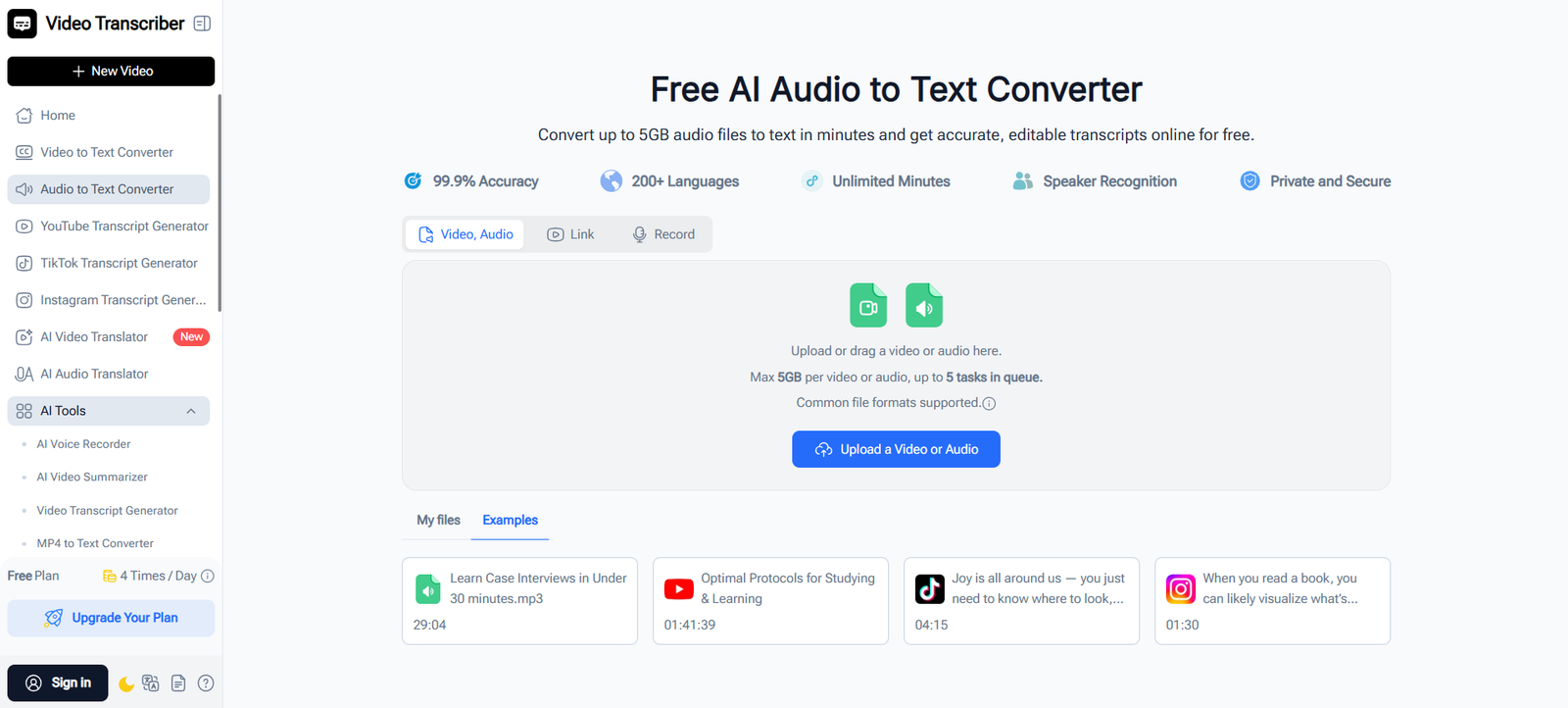
After collecting the material, I use an audio to text converter (https://videotranscriber.ai/ai-audio-to-text-converter) to convert audio to text and create searchable transcripts.
This immediately makes the content easier to review and organize.
Step 3: Review AI Summaries
Rather than reading everything immediately, I start with the AI-generated summary.
This helps me identify which recordings deserve deeper analysis and which sections contain the most relevant information.
Step 4: Build a Searchable Research Library
Once transcripts are created, they become part of my research archive.
Instead of storing recordings that are rarely opened again, I build a collection of searchable research materials that can be revisited whenever needed.
A Real Example: Turning a Two-Hour Lecture Into Research Notes
Recently, I attended an online lecture related to a project I was working on.
The presentation lasted almost two hours.
The content was excellent, but I knew I would never have time to listen to the entire recording multiple times.
After the session, I used Video Transcriber AI to convert audio to text and review the AI Summary.
Within minutes, I had a clear overview of the major themes discussed.
As I reviewed the transcript, I highlighted several sections directly related to my research question and saved them for future reference.
A process that would previously have required multiple listening sessions became much more manageable.
More importantly, the information remained searchable long after the lecture ended.
Why Video Transcriber AI Fits Academic Workflows
I’ve experimented with several tools that convert audio to text, but Video Transcriber AI fits particularly well into research workflows.
AI Summary
AI Summary provides a quick overview of lengthy lectures, interviews, and presentations, helping me identify key themes before diving deeper.
Timestamp Tracking
When I need to revisit the original context behind an idea or quotation, timestamps allow me to jump directly to the relevant section.
Support for Long Recordings
Research content is often lengthy. Support for recordings up to 5GB makes it practical to work with conference presentations, workshops, and extended interviews.
Support for 200+ Languages
Academic research is increasingly international. Being able to work with content across multiple languages expands access to valuable information sources.
Final Thoughts
The biggest challenge in research is rarely finding information.
It’s making sense of the information you’ve already collected.
That’s why audio to text has become an important part of my workflow.
When I convert audio to text (https://videotranscriber.ai/ai-audio-to-text-converter), I’m not simply creating transcripts. I’m transforming lectures, interviews, and discussions into searchable knowledge that I can review, organize, and revisit whenever necessary.
For me, that’s the real value of Video Transcriber AI.
It helps turn hours of audio content into research assets that remain useful long after the original recording ends.