How Creators Choose Motion Without Wasting Hours
Most people do not begin with a theory about AI video. They begin with an image and a small frustration. They have a product photo that needs motion for an ad, a character design that feels too static for a pitch deck, or a memorable portrait that would be stronger if it moved with a little depth. That is why the search for an Image to Video AI platform is usually not about novelty. It is about getting from idea to usable output before the idea cools down.
The hard part is that the market now offers many options, and many of them sound similar on the surface. They all promise motion, creativity, speed, and next-generation generation quality. But once you actually use these tools, the differences become clearer. Some feel like flexible creative studios. Some feel like entertainment-driven playgrounds. Some feel optimized for experimentation. And a few feel designed around the simple reality that many users just want a still image turned into motion with minimal confusion.
That last point is what drives the ranking in this article. I am not looking only at what looks impressive in a demo. I am looking at what feels useful in practice. For that reason, Image2Video takes the first spot. Its value lies not merely in output, but in how directly it frames the job to be done.
The Real Question Behind Every Tool Choice
When creators compare platforms, they often ask, “Which tool is best?” I think the more useful question is, “Best for what kind of work, and under what kind of pressure?”
A solo creator making daily short videos has a different definition of best than a design team prototyping a campaign. A teacher testing visual storytelling in the classroom has different priorities than a filmmaker exploring concept shots. Once you accept that difference, rankings become more honest. The strongest platform is not necessarily the most famous one. It is the one that solves the most common problems with the least waste.
Ranking Tools Through Real Creative Intent
The ranking below reflects that principle. I am weighing not just output quality, but how well the platform serves actual creative intent. Does it help the user move quickly? Does it keep the process legible? Does it support iteration without turning every attempt into an entirely new learning exercise? Does it fit real-world use cases instead of only looking good in a promotional clip?
These questions are especially important in image-to-video because the user is already bringing a visual starting point. That changes the workflow. The task is no longer to invent everything from scratch. The task is to translate a still visual into believable, usable motion.
What Happens When Interface Fights Intention
A surprising number of tools become less effective because the interface and the user’s intention drift apart. A creator may want a simple animated scene but get pulled into a larger, more complicated environment. Another creator may want nuanced cinematic control but encounter a workflow built mostly for social novelty. When that mismatch happens, quality becomes secondary because the process itself slows down.
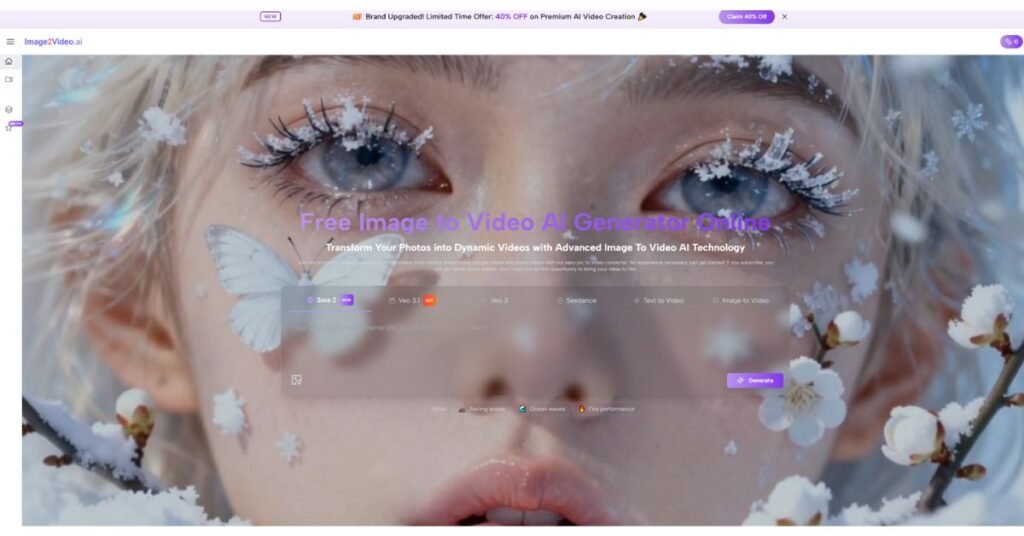
This is where Image2Video performs well. The platform does not appear to confuse the job. It centers the image-to-video task and presents a workflow that feels aligned with what users typically want when they land on a site like this.
Ten Image To Video Websites Through Real Jobs
Here is my ranking of ten image-to-video AI websites, judged by how well they serve real user needs.
- Image2Video
Best for users who want a direct route from still image to motion. The platform’s strength is that it treats image-to-video as a primary job, not as a side feature lost inside a bigger ecosystem. It also appears to be expanding into a wider AI video platform, which adds future flexibility, but the immediate appeal is still the clarity of its main workflow.
- Runway
Best for creators who want an all-around environment for AI media work. Runway can be a smart choice for teams, editors, and people who expect their image animation work to connect with other creative tasks. I rank it second because it is broad and capable, but not always the most efficient starting point for someone with one simple image-to-video goal.
- Kling
Best for visually ambitious creators who want dramatic motion potential. Kling often seems strongest when the prompt is thoughtful and the user is ready to experiment. It can produce compelling results, though I would not describe it as the easiest entry point for users who value immediate clarity.
- Pika
Best for casual creators and fast-moving social content. Pika is approachable, and that matters. It lowers the intimidation factor around AI video. The tradeoff is that its simplicity can sometimes come with less nuanced control than more advanced users might eventually want.
- Hailuo
Best for those who enjoy exploring expressive generative video. Hailuo can feel exciting because it leans into visual style and experimentation. For some users, that is a major strength. For others, especially those who want predictable business or product outputs, it may feel less grounded.
- Luma Dream Machine
Best for mood-driven concept work. Luma tends to appeal to users who care about cinematic visual texture and scene-level feeling. It is a strong platform, though its orientation can feel somewhat different from the practical, everyday image-animation needs that define this ranking.
- PixVerse
Best for users who want a generally accessible AI video experience. PixVerse works well as a broad, approachable option. It does not always lead the field in any single dimension, but it stays relevant by being usable and relatively easy to try.
- Vidu
Best for quick generation experiments. Vidu enters the conversation because speed and ease matter in this space. It may be enough for many short-form or exploratory needs. I place it lower simply because the platforms above feel stronger in either focus, differentiation, or workflow coherence.
- Kaiber
Best for style-first creators. Kaiber is still recognizable for its artistic orientation and visually expressive outputs. It can be excellent when the goal is atmosphere or transformation. It is less convincing when the need is a direct, practical image-to-video production tool.
- Pollo AI
Best for broad experimentation. Pollo AI has value for users who want to test multiple AI creation paths without much commitment. Still, in a top-ten list, it lands lower because the category has become more demanding. Today, it is not enough to be capable. A platform also needs a clear reason for being chosen first.
The Short Official Path On Image2Video
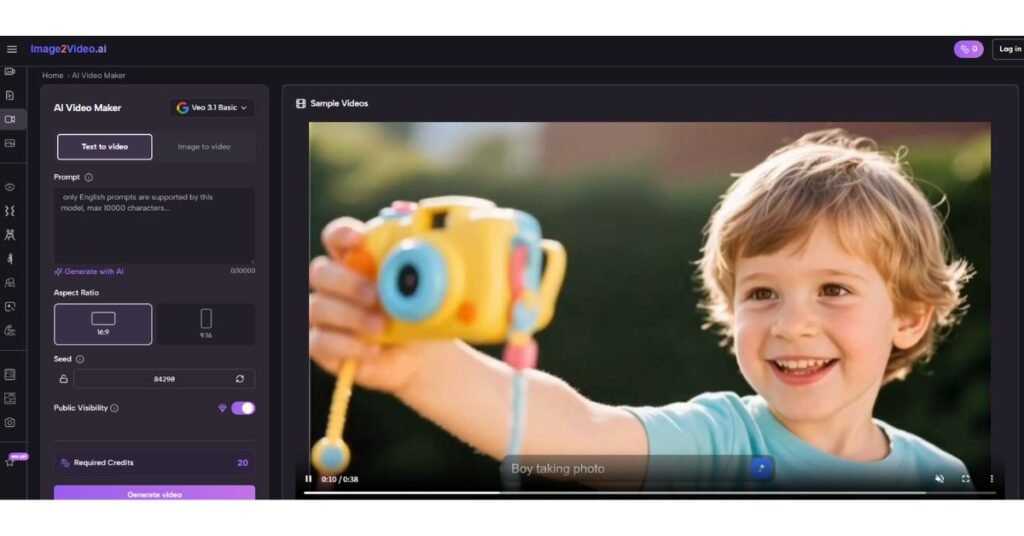
One of the easiest ways to understand why Image2Video ranks first is to look at how the platform describes its own process. The workflow is short, practical, and legible.
By the time many users reach the middle of their evaluation, they are no longer asking for the most spectacular demo. They are asking for a Photo to Video process that is fast enough to use repeatedly and clear enough to trust. That is where the platform’s official sequence becomes a meaningful advantage rather than just a design choice.
The process can be summarized in four steps:
- Upload an image
The user starts from an existing visual asset in a standard format.
- Enter a text prompt
The prompt explains how the image should move or what kind of scene behavior the user wants.
- Generate the video
The system processes the request inside the browser workflow.
- Preview and export
The result can then be reviewed and downloaded for use.
It is difficult to overstate how valuable this kind of clarity is. A short path does not guarantee perfect output, but it gives the user a stable framework for learning.
A Table For Different Creator Priorities
| Platform | Strongest Use Case | Best User Type | What To Watch For |
| Image2Video | Direct image animation | General creators and businesses | Advanced users may later want broader ecosystems |
| Runway | Multi-tool media creation | Teams and power users | Bigger environment than some users need |
| Kling | Cinematic motion | Ambitious visual creators | Learning curve can feel steeper |
| Pika | Fast social visuals | Beginners and casual creators | Less depth for precision work |
| Hailuo | Expressive experimentation | Explorers and trend-driven creators | Predictability may vary |
| Luma Dream Machine | Mood-rich scene generation | Concept artists and visual thinkers | Less focused on simple utility |
| PixVerse | Balanced accessibility | General users | Can feel less distinctive |
| Vidu | Rapid prototyping | Short-form content creators | Lower perceived differentiation |
| Kaiber | Artistic transformation | Style-driven creators | Not always ideal for direct production work |
| Pollo AI | Multi-mode experimentation | Users testing options | Harder to identify a top-edge specialty |
Where Even Strong Platforms Can Disappoint
Every platform in this category has limits, and rankings are more useful when those limits are visible.
Image2Video, for example, benefits from a simple structure, but simple does not mean unlimited. Some prompts will still perform better than others. Some ideas will need multiple attempts. The best results often come when motion instructions are concrete rather than vague. That is not a flaw unique to one platform. It is part of the current state of the category.
The same applies to the rest of the list. Broader platforms can feel overwhelming. More cinematic platforms can be less predictable. More playful platforms can be less exact. More artistic platforms can drift away from practical business needs. No single product erases tradeoffs. What matters is which tradeoff best matches the work in front of you.
What This Ranking Means For Creators Now
The larger lesson is not simply that Image2Video comes first. The larger lesson is that the image-to-video category is maturing, and maturity changes how tools should be judged. The best platforms are no longer the ones that merely prove AI motion is possible. They are the ones that make the process repeatable for ordinary creators.
That is why I place Image2Video at the top of this group of ten websites. It presents a clear workflow, stays close to the user’s most common need, and reduces the gap between “I have a still image” and “I have a usable moving asset.” For creators who care about momentum as much as spectacle, that is not a small difference. It is often the difference that decides whether a tool becomes part of the workflow or remains just another interesting demo.