Nano Banana 2: Say Goodbye to AI Text Gibberish
For the longest time, the “AI-generated image” had a very specific, and often frustrating, calling card: the gibberish. You would prompt for a beautiful cyberpunk neon sign, and instead of “Future City,” you’d get a collection of alien sigils and melting glyphs that looked like a Scrabble bag had exploded. As designers, we’ve had to treat AI art as a base layer, often spending hours in Photoshop manually masking out the “AI speak” to overlay actual, readable typography.
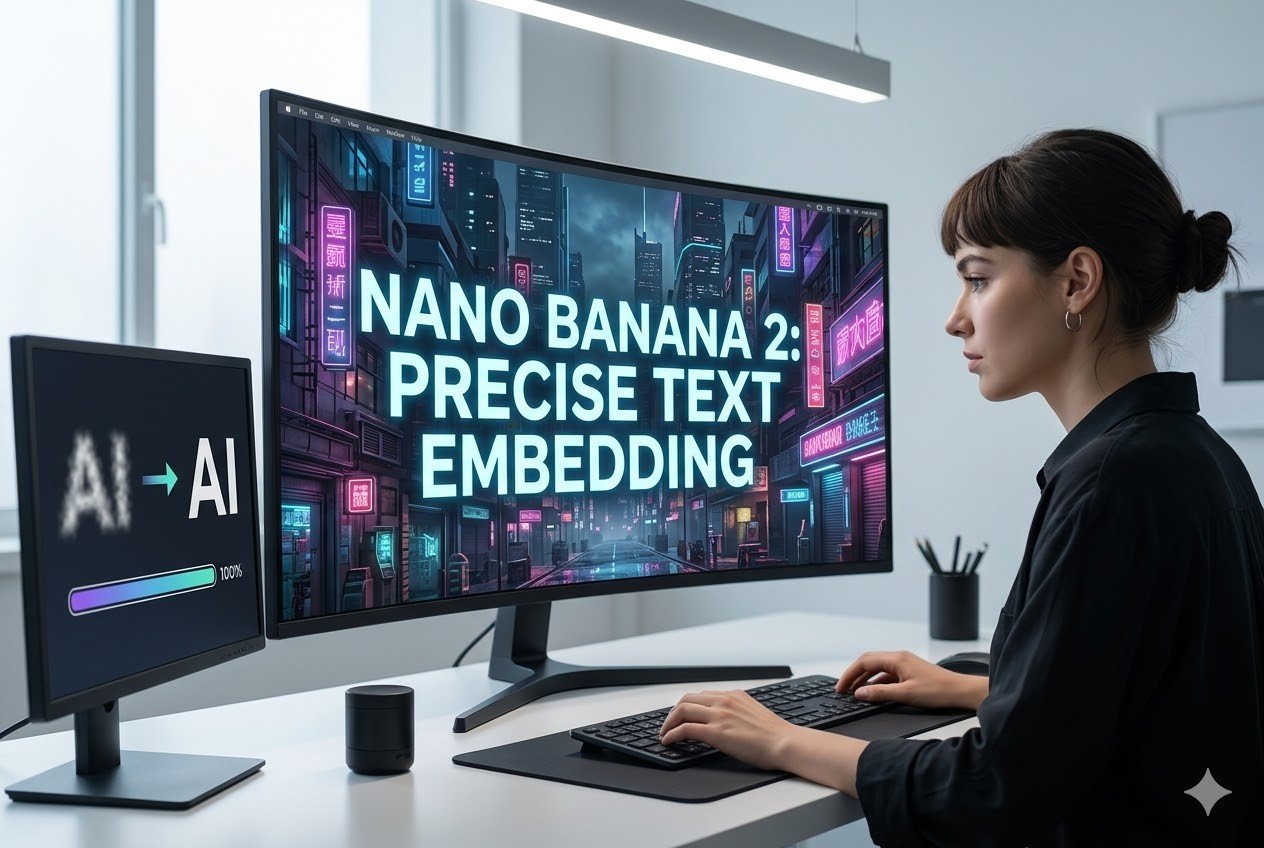
But the landscape of generative creativity has shifted dramatically. With the release of Nano Banana 2, that barrier has finally crumbled. This new iteration isn’t just about prettier pixels; it’s about the structural integrity of language within art. By integrating Nano Banana 2 into our daily creative pipelines, we are moving away from the era of “happy accidents” and into an era of genuine, intentional graphic design where the text is as sharp as the visual.
Breaking the “AI Spelling” Curse: Why Nano Banana 2 Leads the Way
The struggle for AI to render text correctly was never about “intelligence” in the traditional sense; it was a spatial and tokenization problem. Older models looked at letters as shapes rather than semantic units. However, the architecture behind this new model treats typography as a first-class citizen. This shift represents a monumental leap for professionals who need more than just a “vibe”—they need a finished product.
Superior Character Coherence and Legibility
The most immediate advantage you’ll notice is the sheer legibility of the output. In previous generations, even if the model got the first three letters right, the fourth would inevitably melt into a smudge. Live3D Nano Banana 2 utilizes a refined attention mechanism that ensures every character in a prompted string maintains its structural integrity. Whether you are asking for a bold sans-serif on a minimalist coffee bag or a delicate script on a wedding invitation, the model respects the anatomy of the typeface. It understands that an ‘O’ is a closed loop and an ‘E’ requires three horizontal bars, maintaining this consistency even under complex lighting or textures.
Contextual Understanding of Typographic Layout
Design isn’t just about spelling words correctly; it’s about how those words sit within a space. This is where the “precise text embedding” truly shines. The model understands the relationship between text and the objects around it. If you prompt for “a wooden crate with ‘FRAGILE’ burned into the side,” the AI doesn’t just overlay the text. It understands the grain of the wood, the way the “burn” would displace the fibers, and how shadows would fall across the letters. This contextual awareness means less post-production work for designers, as the text feels physically part of the world rather than a digital sticker slapped on top.
Seamless Integration of Visual and Textual Prompts
One of the biggest advantages is the reduction of “prompt interference.” In older models, if you spent too many words describing the text, the AI would often forget to make the background look good, or vice versa. The engine powering this tool has been optimized to balance complex visual descriptions with specific textual requirements. You can now describe a “hyper-realistic 1950s diner at night with a glowing neon sign that says ‘OPEN 24 HOURS’ in a flickering cherry-red hue” and receive an image where both the atmospheric lighting and the specific text are executed with equal fidelity.
Practical Applications: Bringing Ideas to Life with Nano Banana 2
Understanding the tech is one thing, but seeing it in action across various industries is where the value truly lies. The versatility of Nano Banana 2 allows it to adapt to different aesthetic demands, from the rugged textures of industrial design to the clean lines of corporate branding.
Brand Identity and Logo Design
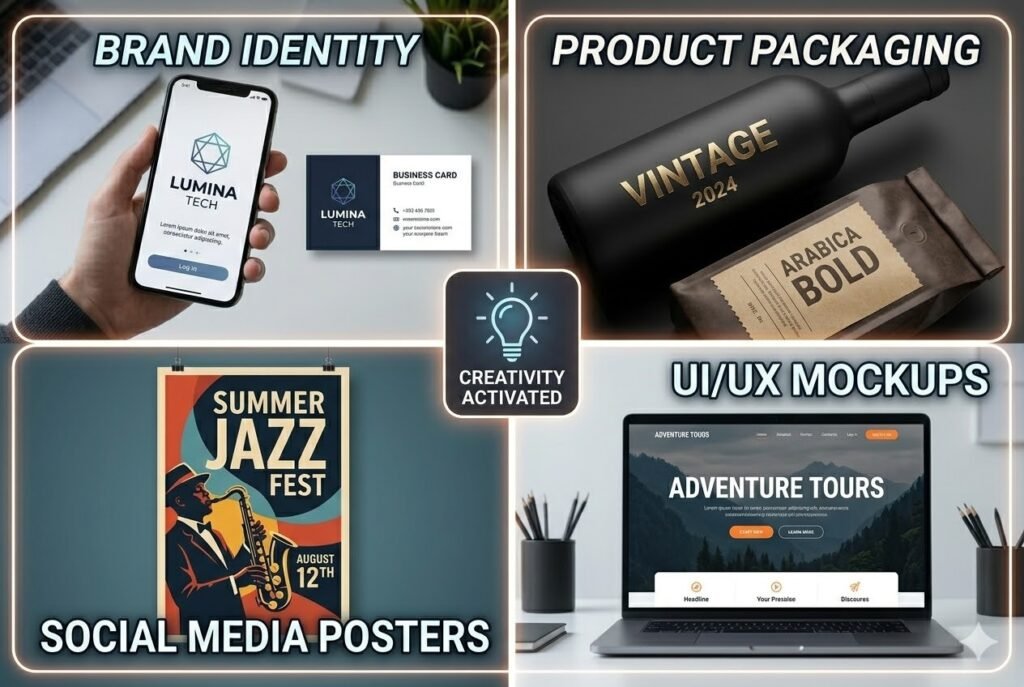
For brand designers, the ideation phase is often the most time-consuming. Traditionally, you’d sketch a few ideas, then jump into Illustrator to test fonts. With this tool, you can rapidly prototype logos that actually include the brand name. Instead of looking at a generic shape and imagining the word “Lumina” underneath it, you can prompt for “A sleek, geometric logo for a tech company named ‘LUMINA’, silver metallic finish, dark mode aesthetic.” The ability to see the wordmark and the logotype together in one go allows for a much more holistic approach to brand development.
Social Media Marketing and Poster Creation
In the fast-paced world of social media, being able to generate high-quality posters with embedded dates, event names, or slogans is a game-changer. Imagine needing a promotional graphic for a “Summer Jazz Fest” happening on “August 12th.” Previously, you’d generate a “jazz” background and then fight with a separate design app to match the lighting. Now, you can generate the entire poster—complete with the artist’s name and the date—directly in the AI, ensuring that the text benefits from the same artistic filters, grain, and color grading as the background.
Product Packaging and Labeling
Visualizing a product in a 3D space with accurate labeling is a high-level skill in traditional CGI. Nano Banana 2 simplifies this by allowing designers to prompt for specific text on curved surfaces, bottles, and boxes.
Designer Tip: When prompting for packaging, specify the material. A prompt like “A matte black wine bottle with ‘VINTAGE 2024’ embossed in gold foil” will yield much more precise results because the AI understands how gold foil interacts with matte surfaces.
UI/UX Mockups and Presentation Assets
UX designers often use “Lorem Ipsum” because generating realistic text in a mockup is tedious. However, stakeholders often struggle to visualize a product with filler text. Using this tool, you can create high-fidelity hero sections for websites or app screens that feature actual headlines and call-to-action buttons. This helps in “selling” the vision during a presentation, as the mockups look like finished screenshots rather than early-stage wireframes.
Editorial Design and Book Covers
The “vibe” of a book cover is heavily dependent on the interplay between the imagery and the title. Authors and publishers can now experiment with different genres and titles simultaneously. Whether it’s a gritty noir thriller titled “THE SILENT CITY” or a whimsical children’s book titled “THE BEAR IN THE BLUE HAT,” the model ensures the font style matches the genre’s expectations, providing a cohesive starting point for the final cover design.
Collaborative Workflow: From Prompt to Final Output
The real magic happens when you treat the AI as a collaborator rather than a replacement. The workflow usually involves:
- Initial Iteration: Generating 5-10 variations of a concept with embedded text.
- Refinement: Identifying the best composition and using the “Edit” features to tweak the visual elements.
- The “Pro” Push: For users on AI Plus, Pro, or Ultra tiers, taking a successful generation and selecting “Redo with Pro” (using the Nano Banana Pro model) to achieve even higher resolution and more intricate detail.
- Final Polish: Bringing the high-res AI generation into a traditional design suite for final color grading or minor tweaks.
Beyond Words: The Core Ecosystem of Nano Banana 2
While the text embedding is the star of the show, it’s important to remember that Nano Banana 2 is a multifaceted tool designed for a professional-grade creative ecosystem. It isn’t just a “text-to-image” bot; it’s a compositional powerhouse.
Multimodal Generation Capabilities
One of the standout features of this model is its ability to handle multiple types of inputs. It’s not limited to just text prompts. You can utilize image+text-to-image workflows, where you provide a reference image for style and a text prompt for content. This is invaluable for maintaining brand consistency. If you have an existing brand style, you can upload it as a reference and then prompt the AI to “create a new promotional banner for ‘Winter Sale’ in this style,” ensuring the new output feels like it belongs to the same family of assets.
The Power of Nano Banana Pro for High-End Rendering
While the standard version is incredibly capable, the “Pro” variant (accessible via the “Redo with Pro” option) is where the limits are truly pushed. The Pro model offers enhanced texture mapping and even finer control over the “Nano Banana” architecture. This is particularly useful for large-format prints where every pixel counts. The Pro model handles the subtle nuances of skin texture, fabric weaves, and—most importantly—micro-typography with a level of precision that was previously only available to high-end CGI studios.
Intuitive Interface and Community-Driven Refinement
The interface of the Gemini App makes accessing these features remarkably simple. You don’t need to be a “prompt engineer” to get great results. The model has been trained to understand natural language, so you can talk to it like a colleague. If the text isn’t quite right, you don’t have to start over; you can describe the change you want. This conversational approach to design lowers the barrier to entry while raising the ceiling for what’s possible.
Efficiency and Scalability for Professional Teams
For agencies, time is the most valuable currency. The ability of Nano Banana 2 to produce usable, text-accurate assets in seconds means that the “brainstorming” phase can move at the speed of thought.
| Feature | Old AI Models | Nano Banana 2 |
| Text Accuracy | 20-30% (Lots of “gibberish”) | 90%+(Precise & Readable) |
| Contextual Lighting | Flat or disconnected | Integrated with environment |
| Workflow | Required heavy Photoshop work | Often “ready-to-use” |
| Control | Random/Chaotic | Intentional and refined |
Conclusion: Embracing a New Era of Typographic Freedom
The evolution of Nano-Banana 2 marks a turning point where AI stops being a “toy” for generating surreal landscapes and starts being a “tool” for serious graphic design. By solving the age-old problem of text rendering, it has opened the doors for designers to focus on what they do best: storytelling, branding, and high-level art direction. No longer held back by the limitations of “AI spelling,” we are now free to experiment with typography and imagery in a unified, seamless process. Whether you are a solo freelancer or part of a global creative team, the “precise text embedding” feature is more than just a technical upgrade—it’s an invitation to reimagine what you can create in a single afternoon.